

Enjoy a Sign In page in your branding.
Included in your free plan No contract
Unique sign-in link
mail.yourcompany.com
One address for everyone you hire, from now on.
Give the link to your new hire.
*Subjected to availability of your registrar

What the link opens
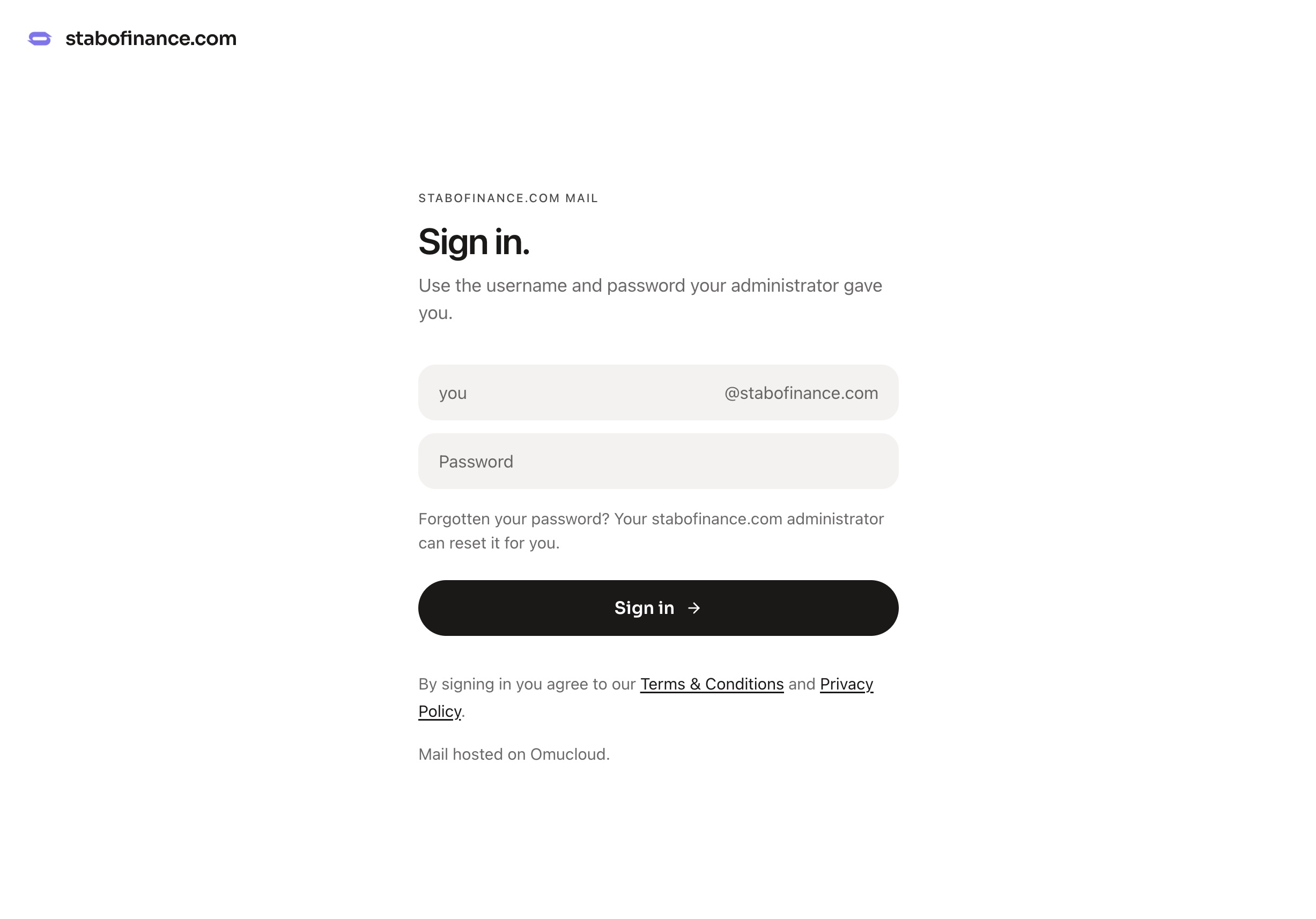
- Your logo, not ours
- Your logo sits in the sign in page. A feature most email vendors charge you for.
- Your domain, not ours
- Your employee signs in with your domain name, they may not even know they're using Omucloud.
Easy set up in Settings.
01
Verify the domain
Add your domain in Settings and publish the three DNS records Omucloud generates. The branded page only exists for a verified, active domain — nobody can put your company's name on a sign-in page without controlling its DNS.
02
Upload the logo
Any PNG or JPEG. The browser squares it on white before it leaves the device, so it never arrives cropped, and it is stored privately with a signed link rather than in a public bucket.
03
Send the link
Settings → Domain → Business sign in link shows the finished URL with a copy button. Paste it into your onboarding doc, your password manager's shared note, or the message you send with each new mailbox password.
Being plain about it
This is branding, not single sign-on.
Your team enters the same address and password they would use anywhere else on Omucloud, protected by the same throttling on repeated failed attempts. There is no identity provider to connect, no directory to sync and no per-company password policy — and mail is still hosted on Omucloud by Alano Tech Pte. Ltd., which the footer and the legal pages say openly. If your requirement is SAML or SCIM, this is not that, and we would rather you knew now.
- Custom logo and domain name
- Yes
- Hidden personal sign-up
- Yes
- Unlimited mailboxes on the link
- Yes
- SAML / OIDC single sign-on
- No
- SCIM or directory sync
- No
- Separate password policy per company
- No
Free on every domain No seat count No contract
Questions admins ask before sending the link round
Can my team sign in on a page branded with our own logo?
Yes. Once your domain is verified, Settings → Domain shows a Business sign in link panel where you upload a logo and copy a URL of the form mail.omucloud.co/yourcompany.com. Anyone opening that URL sees your logo and your domain name in place of the Omucloud mark, and the option to create a personal @omumail.co address is hidden.
Is the branded sign-in page single sign-on?
No, and it is worth being plain about it. It is branding on top of the ordinary sign-in: your team enters the same address and password they would use anywhere else on Omucloud. There is no SAML, no OIDC and no SCIM directory sync today, so it does not replace an identity provider — it replaces the awkward moment where a new hire signs into something that looks like it belongs to another company.
Who is allowed to set the logo for a domain?
Only the account that added and verified the domain. The logo file is stored privately and the record is checked against the owner of that domain at write time, so another customer cannot attach branding to a domain they do not control.
What does the branded sign-in page cost?
Nothing. It is part of the free plan, like everything else in Omucloud — no per-seat pricing, no minimum team size and no contract. The only cost anywhere in the arrangement is the domain you buy in your own name from a registrar.
Does the branded page hide that Omucloud is hosting the mail?
No. The page carries your logo and domain, but it is honest about who operates the service: mail is hosted on Omucloud by Alano Tech Pte. Ltd., and the footer and legal pages say so. This is a branded front door, not a white-label resale of the product.
How many people can use one branded sign-in link?
As many as you like. Every address on your verified domain is a real mailbox with its own inbox and password, there is no limit on how many you create, and they all sign in through the same branded URL.
Can I change the logo later?
Yes, at any time, from the same panel. Uploading a new file replaces the old one and the link stays the same, so a rebrand does not mean re-sending the URL to your team.
Related readings
- How custom domain email works
The MX, SPF and DKIM records, where to paste them at each registrar, and why a domain sometimes fails to verify.
- Why it is free forever
What the free plan covers, what it does not, and how a company with twenty addresses still pays nothing.
- Set it all up from your phone
Every stage of this — domain, logo, mailboxes — runs in a mobile browser today.
Put your company’s name on the front door.
Create an account, add the domain you already own, and the branded link appears in Settings the moment it verifies.